
Description
ArticleDrop is a simple AI article writer and image generator for WordPress. Create complete articles with AI-generated featured and in-article images, ready for review in your WordPress editor.
Built on simplicity.
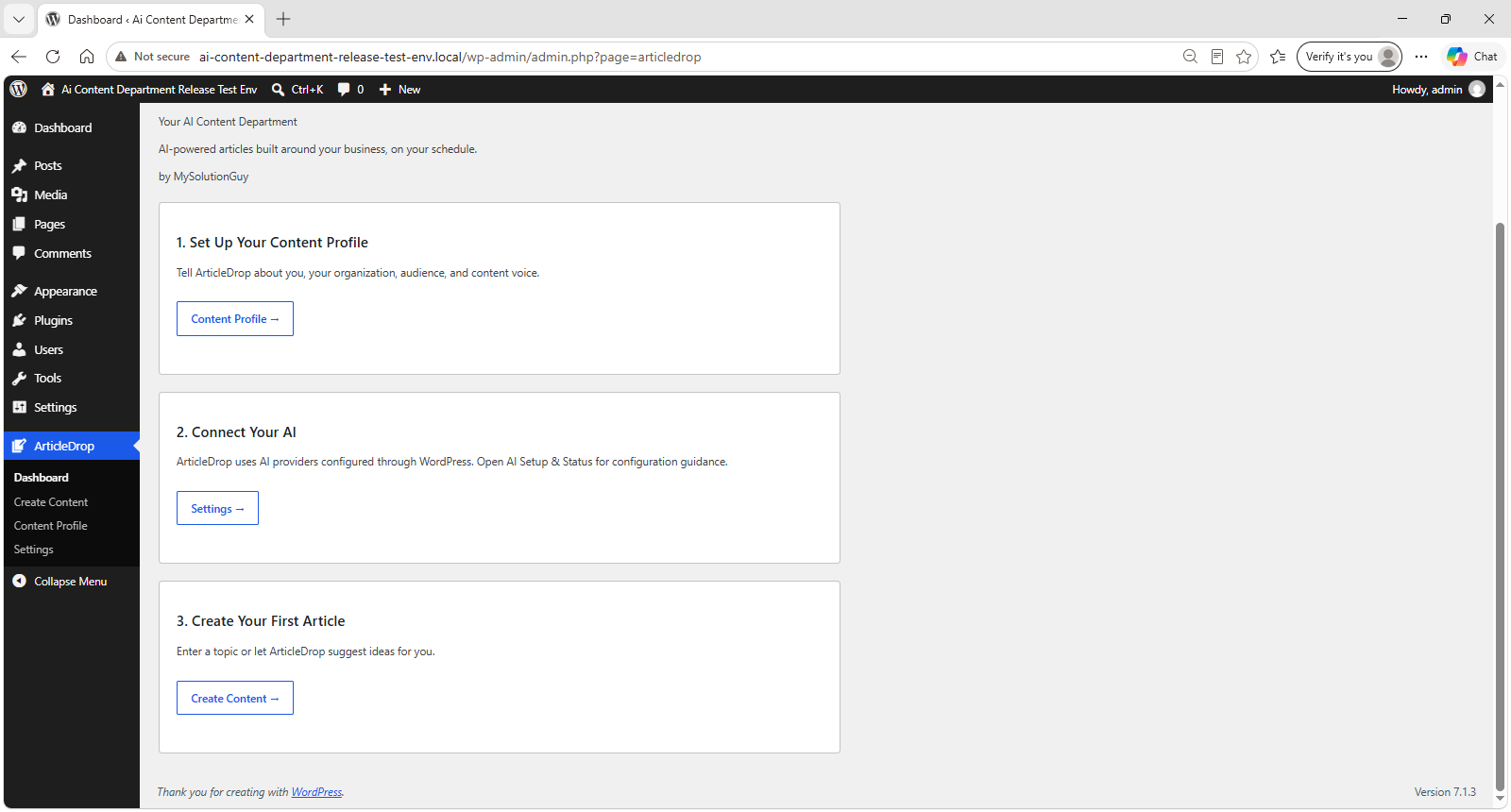
Tell ArticleDrop about your business, audience, and content voice. Enter your own topic or generate article ideas, then let ArticleDrop create the article and optional images for you.
Your AI Content Department, by MySolutionGuy.
From article idea to WordPress draft
Use ArticleDrop as an AI content generator with a simple review-and-edit workflow:
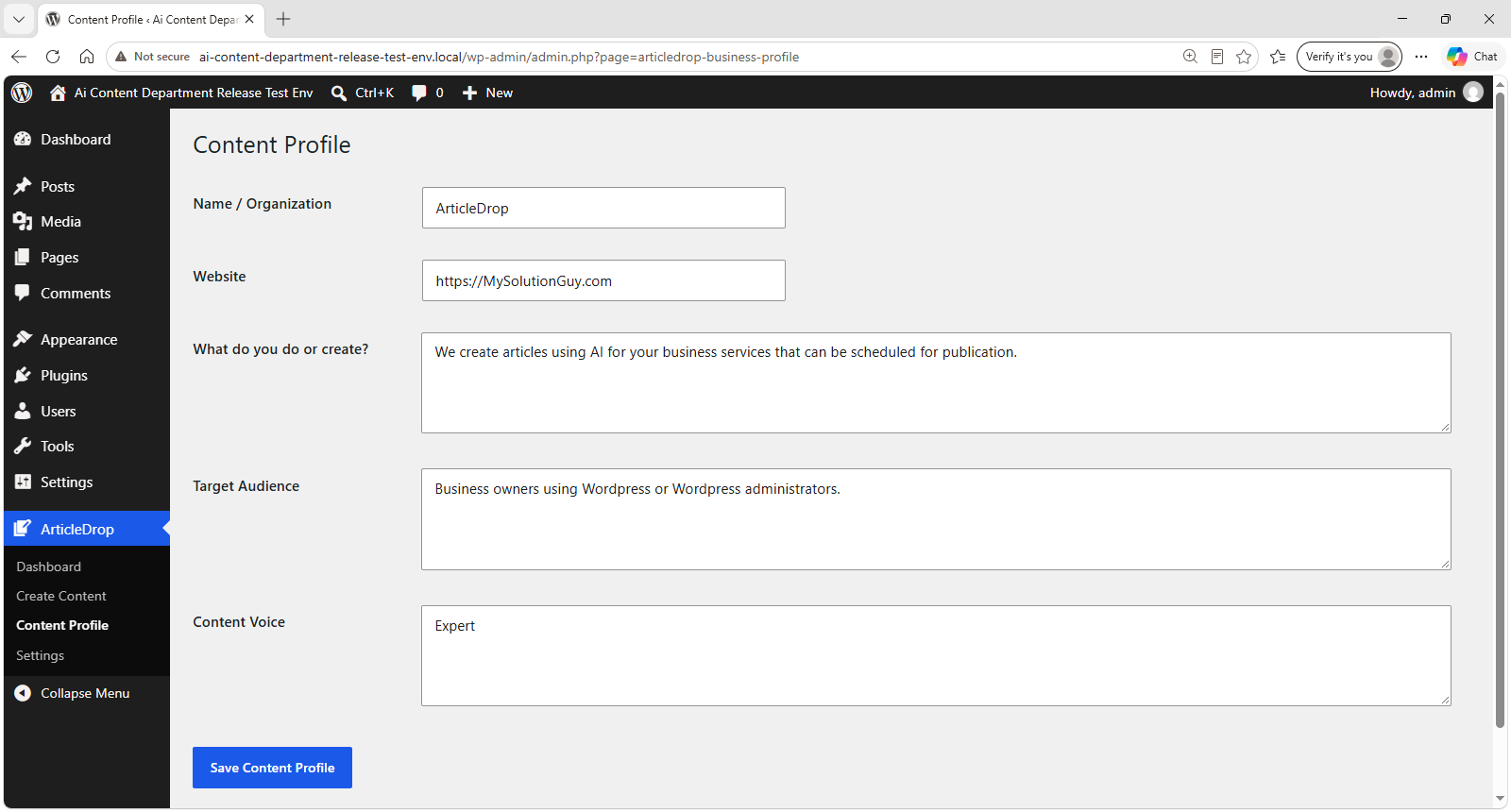
- Save a Content Profile with your name or organization, website, description, target audience, and content voice.
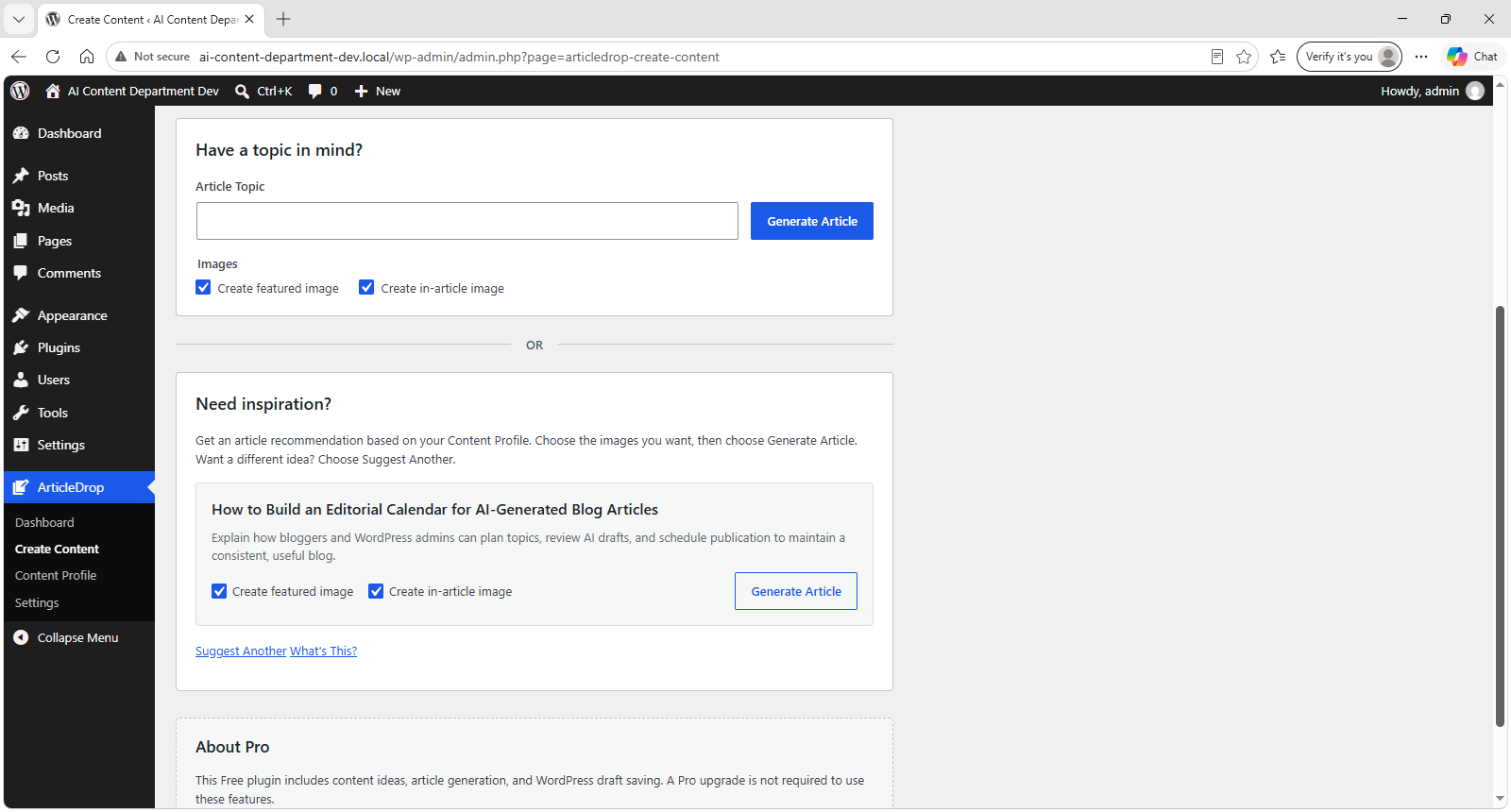
- Choose Suggest an Article for one recommended article idea based on your Content Profile, or Suggest Another to replace it with one new recommendation.
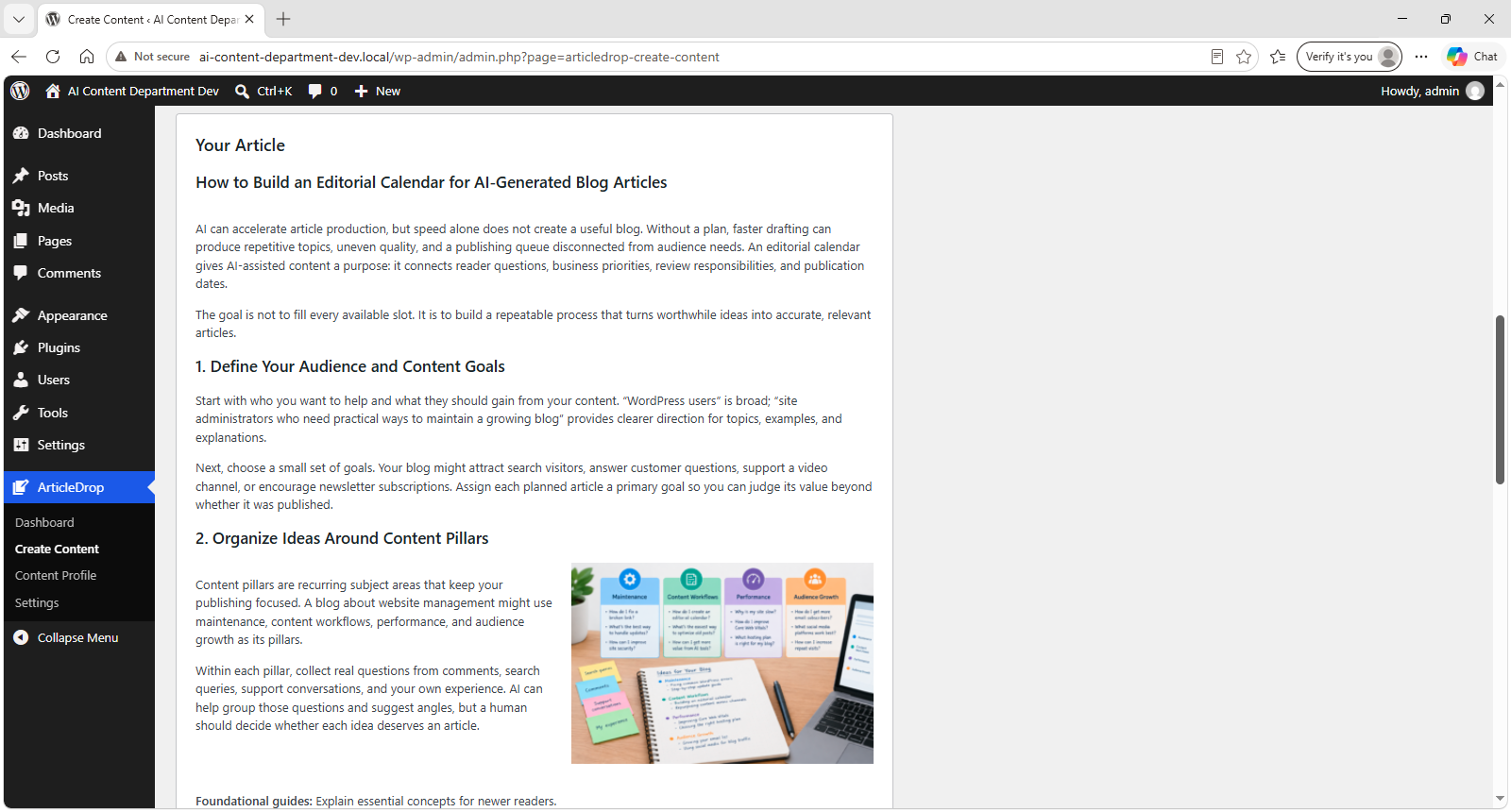
- Generate an article with a title, headings, and formatted content from your topic or a suggested idea.
- Optionally generate an AI featured image and a different supporting image based on the finished article.
- Review the article with its supporting image already placed, then choose Save as WordPress Draft.
- Open the draft to edit, schedule, or publish using WordPress.
A Content Profile is optional for your own topic and required for generated article ideas.
Optional featured and in-article images
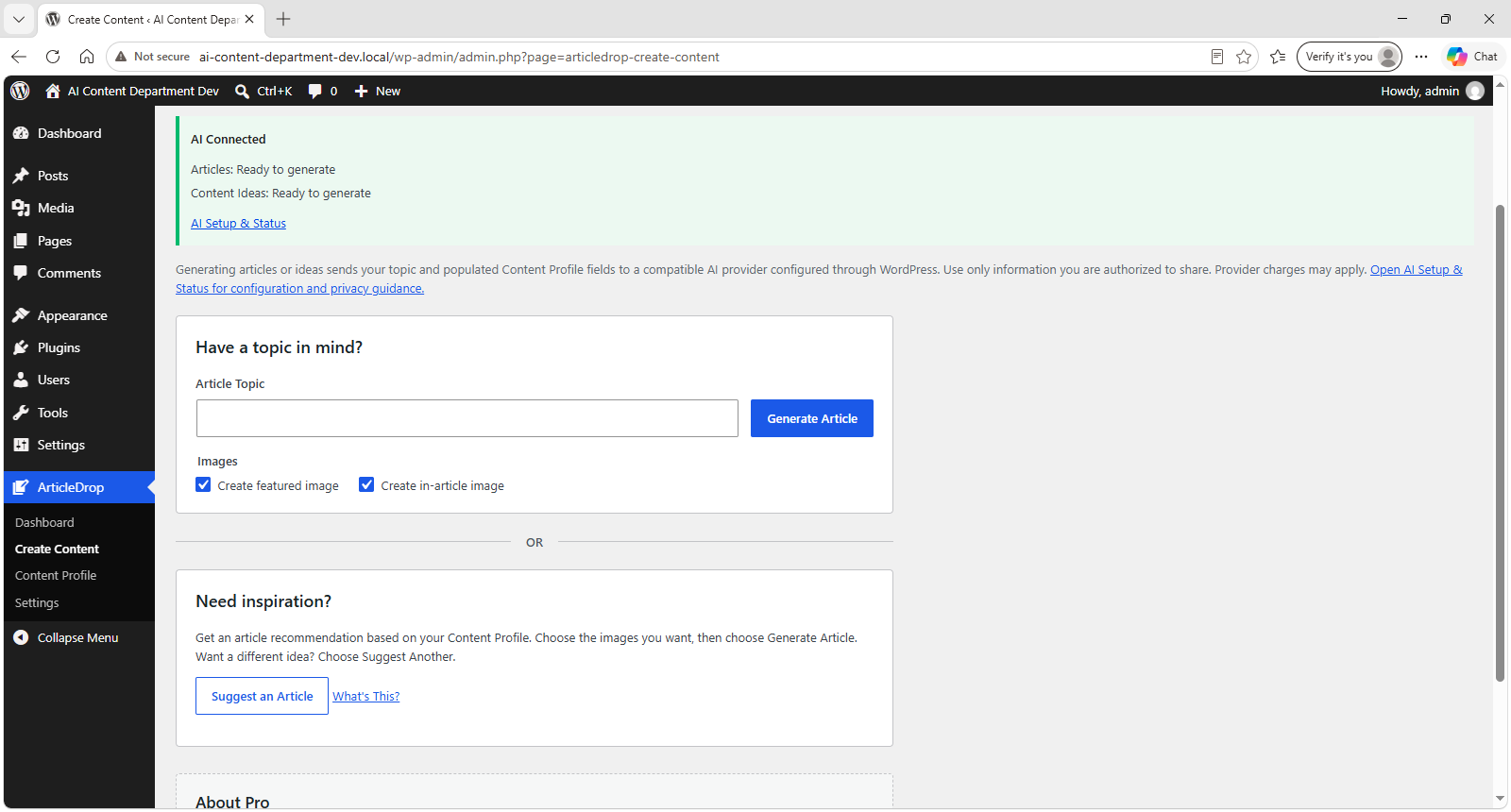
Two independent choices appear beside the article controls: Create featured image and Create in-article image. Both are enabled by default. Turn either or both off if you prefer to supply your own images through WordPress.
The featured image represents the overall article and is assigned as the draft’s normal WordPress Featured Image. It is not duplicated inside the article body. The supporting image uses a different concept drawn from the article content and is automatically placed near a relevant section.
The smaller supporting image aligns right on desktop with nearby text wrapping naturally around it. Later headings and sections return to full width, and the image stacks above its nearby paragraphs on mobile. It remains editable, movable, and removable in the WordPress block editor.
Generated images are stored as normal WordPress Media Library attachments. Image generation requires a configured provider/model with compatible image-generation capability. If an image cannot be generated, ArticleDrop keeps the completed article and any successful image, explains the issue, and lets you save the draft.
Your AI provider, configured through WordPress
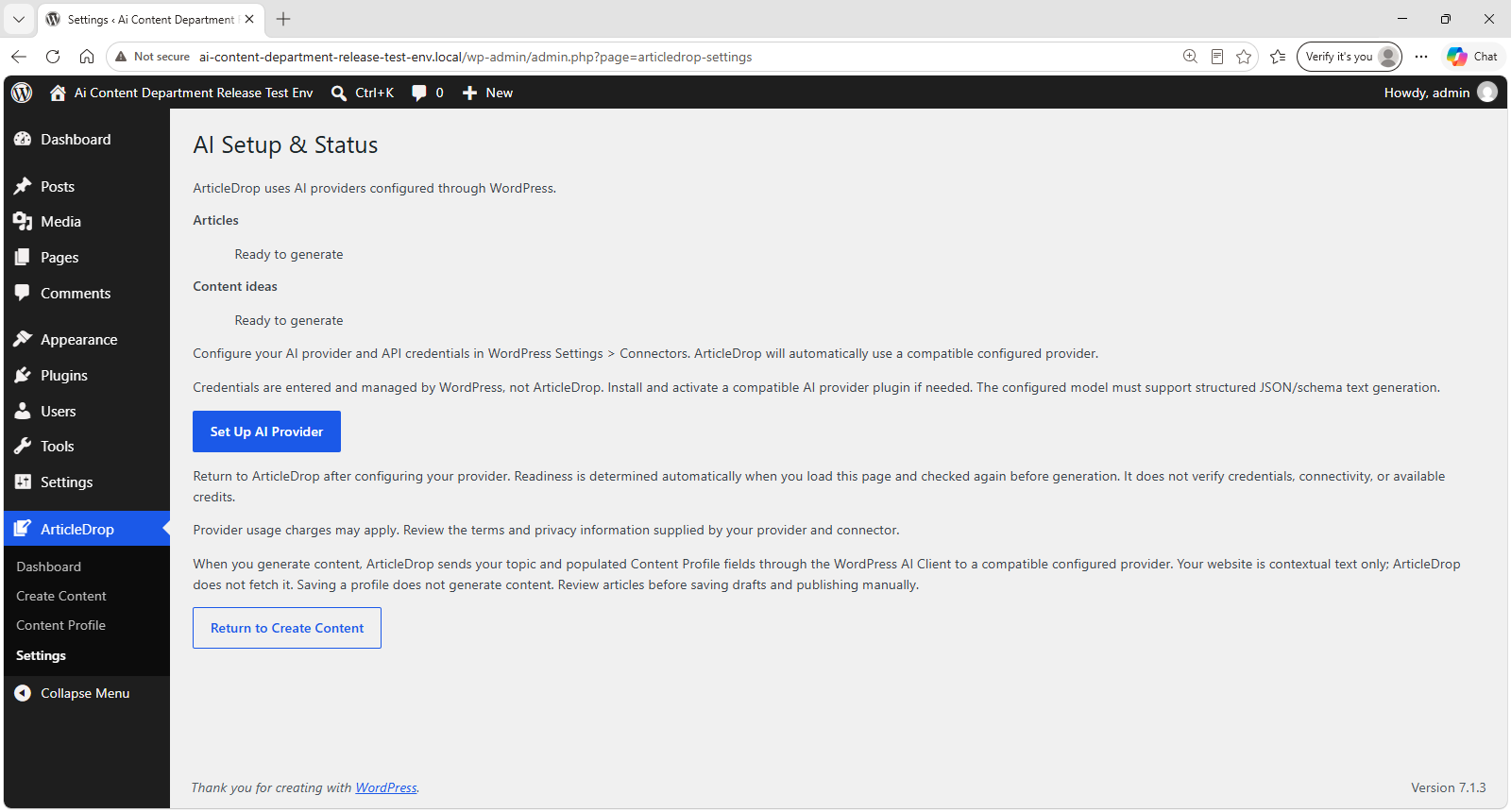
ArticleDrop requires WordPress 7.0 or later and uses the WordPress AI Client with a compatible provider configured through WordPress Settings > Connectors. ArticleDrop > Settings provides AI Setup & Status guidance and generation readiness.
Articles and ideas require a provider/model that supports ArticleDrop’s structured JSON/schema text requests. Images additionally require compatible image-generation support; a provider that writes articles may not support images. WordPress can select different compatible models or providers for text and images. ArticleDrop does not supply an AI model or require a particular provider.
Content ideas, article generation, both image options, and draft saving are included in the Free plugin. No Pro purchase is required. ArticleDrop does not provide AI credits or an AI subscription. Your configured provider controls AI usage and charges and may require API credentials or credits. Each selected image is a separate generation request, so additional provider charges may apply. A consumer chatbot subscription does not necessarily include API access or credits.
Review generated content for accuracy, suitability, and rights before publication. ArticleDrop generates articles when you request them and saves drafts only when you choose. It does not run unattended article generation or an independent publishing scheduler. To schedule or publish an article, save a draft and use WordPress’s publishing controls.
External services
ArticleDrop uses the WordPress Core AI Client. It does not call provider endpoints directly or collect, store, or manage provider credentials. Install and activate a compatible AI provider plugin and configure it through WordPress Settings > Connectors. WordPress Core does not bundle provider implementations.
When an authorized administrator chooses Generate Article, Suggest an Article, or Suggest Another, ArticleDrop sends the article topic or idea request, its instructions, and populated Content Profile fields through the AI Client to a compatible configured provider. These fields are name or organization, website, description, target audience, and content voice. The website field is contextual text only; ArticleDrop does not fetch it.
If either image option is selected, image generation follows the completed article automatically. The article title, article text, selected supporting-section text, and image instructions are sent through the AI Client to compatible configured image providers. Both image options are enabled by default. The connector/provider handles authentication and transport. The provider may receive server request metadata, such as your server’s IP address.
ArticleDrop does not run paid test prompts on activation, page views, or profile saves. Readiness checks match request configurations against available capabilities; they do not verify credentials, connectivity, provider credits, or successful generation. WordPress selects compatible models before generation; ArticleDrop does not automatically retry failed generation requests. Saving a draft does not make another AI generation request.
Provider usage charges may apply. Use only information you are authorized to share. Processing, retention, training, and privacy behavior depend on the configured provider, connector, account, and applicable terms. ArticleDrop does not guarantee zero retention or a provider-specific storage policy. Review the service terms and privacy information supplied by the provider/connector in WordPress Settings > Connectors before generating.
License
ArticleDrop is distributed under the GNU General Public License, version 2 or any later version. See LICENSE.txt for the GPL version 2 text.
Screenshots
Installation
- Install and activate ArticleDrop from the WordPress Plugins screen, or upload the articledrop directory to wp-content/plugins/.
- On WordPress 7.0 or later, open ArticleDrop > Settings. Choose Set Up AI Provider to open WordPress Settings > Connectors. Install and activate a compatible AI provider plugin if needed, then configure its credentials there.
- Return to ArticleDrop > Settings to check article and idea generation readiness. The configured provider/model must support structured JSON/schema text generation. A ready status does not verify credentials, connectivity, or available credits.
- Add your business, audience, and content voice in ArticleDrop > Content Profile. This is optional for your own topics and required for generated article ideas.
- Open ArticleDrop > Create Content. Leave Create featured image and Create in-article image checked for both images, or uncheck either option. Enter a topic and choose Generate Article, or choose Suggest an Article under Need inspiration? for one recommended article idea. Choose Generate Article to use it, or Suggest Another to replace it with one new recommendation.
- ArticleDrop generates the article first, then the selected images. Review the result and choose Save as WordPress Draft. The supporting image stays in the content and the Featured Image is assigned to the draft.
- Choose Edit Draft to edit, schedule, or publish using WordPress’s native publishing controls.
The plugin screens and generation actions require permission to manage site settings. Image creation also requires upload permission, and saving a draft requires WordPress permission to create posts.
FAQ
-
What does ArticleDrop do?
-
ArticleDrop is an AI article generator and blog post generator for WordPress. Start with your own topic or a Content Profile idea, generate a formatted article with optional images, review it, and save a draft for editing in WordPress.
-
Can ArticleDrop generate images?
-
Yes. With a compatible image-generation provider/model, ArticleDrop can create a featured image for the overall article and a different supporting image for a relevant section. Both options are included in Free and enabled by default. The supporting image is placed automatically with responsive text wrapping.
-
Can I use my own images?
-
Yes. Uncheck either or both image options before generating an article, then add your own Featured Image or content images in the WordPress editor. You can also replace generated images there.
-
Where are generated images stored?
-
In your site’s WordPress Media Library as normal image attachments, with descriptive titles and alt text based on the article and image concept. The featured image is assigned to the saved draft; the supporting image is embedded in its content.
-
Which AI providers work with ArticleDrop?
-
Use compatible provider plugins configured through WordPress Settings > Connectors. Articles and ideas need structured JSON/schema text generation. Images need compatible image-generation capability too. ArticleDrop uses the WordPress AI Client and does not require OpenAI or another specific provider. Provider usage charges may apply.
-
What if my provider supports articles but not images?
-
The article still generates. ArticleDrop explains that images are unavailable and lets you review and save the article as a draft. If only one image fails, the successful image is kept. You can disable image generation or add your own images in WordPress.
-
Do I need a Content Profile?
-
A Content Profile is optional when you enter your own topic. Add profile information to give ArticleDrop business, audience, and voice context. A nonempty profile is required to generate topic ideas.
-
Does ArticleDrop automatically publish articles?
-
After saving a generated article as a WordPress draft, you can edit it and use WordPress’s native publishing controls to schedule or publish it. ArticleDrop does not automatically publish articles, run an independent scheduler, or generate articles unattended.
-
Can I edit generated articles before publishing?
-
Yes. Review the preview, choose Save as WordPress Draft, and open Edit Draft. Use the normal WordPress editor to revise the text, replace the Featured Image, or move, edit, or remove the supporting image before publishing.
-
Is ArticleDrop free to use?
-
Yes. Content ideas, article generation, both image options, and WordPress draft saving are included in Free, with no Pro purchase required. ArticleDrop does not provide AI credits or an AI subscription. Your chosen AI provider controls API usage and charges.
-
Does ArticleDrop store my AI credentials?
-
No. Configure credentials through WordPress Settings > Connectors; WordPress/provider connectors manage them. ArticleDrop does not collect or store provider credentials or provide its own API-key fields. It stores your Content Profile and temporary article previews with media references in your site’s WordPress database.
-
Does the plugin send my data automatically?
-
Generation starts when an authorized administrator requests ideas or an article. Selected image requests follow article generation automatically. Saving a draft writes the reviewed article to WordPress without another AI generation. The website field is never fetched.
-
What happens when I deactivate or delete the plugin?
-
Deactivation preserves your Content Profile. Uninstall removes ArticleDrop-owned settings across multisite. Shared WordPress Connectors credentials/settings, generated posts/drafts, and Media Library images are preserved.
-
Why can generation fail when the status says ready?
-
Readiness reports compatible capabilities, not successful authentication, connectivity, or available credits. Provider availability, policy, quota, and model access can change. Review WordPress Settings > Connectors and your provider account. Image support is checked separately from article and idea support. Failed generation requests are not automatically retried.
Reviews

Contributors & Developers
“ArticleDrop – AI Article Writer and Image Generator” is open source software. The following people have contributed to this plugin.
Contributors
Translate “ArticleDrop – AI Article Writer and Image Generator” into your language.
Interested in development?
Browse the code, check out the SVN repository, or subscribe to the development log by RSS.
Changelog
0.2.0
- Simplify article ideas to one recommendation at a time with a Suggest Another option.
- Add optional AI featured and in-article image generation through the provider-neutral WordPress AI Client.
- Add independent image controls, both enabled by default, and save generated images to the WordPress Media Library.
- Automatically place a distinct supporting image with responsive text wrapping and full-width later sections.
- Preserve generated images and Featured Image assignment when saving a WordPress draft; keep the article usable if image generation fails.
- Add a dismissible review invitation after successful draft saves and a permanent Rate ArticleDrop link.
0.1.0
- Initial Free release with Content Profile, three content ideas, article generation, and WordPress draft saving.
- WordPress 7.0 Core AI Client integration with compatible configured providers and AI Setup & Status.
- Administrator permissions, nonce protection, sanitized model output, provider disclosures, and uninstall cleanup.